This article explains Microsoft Office and its main programs in a simple and easy way. It covers MS Word, MS Excel, MS PowerPoint, and MS Office, along with their uses, shortcut keys, and important MCQs. The purpose of this article is to help students and beginners understand how these programs are used in daily study, office, and professional work.
MS Word
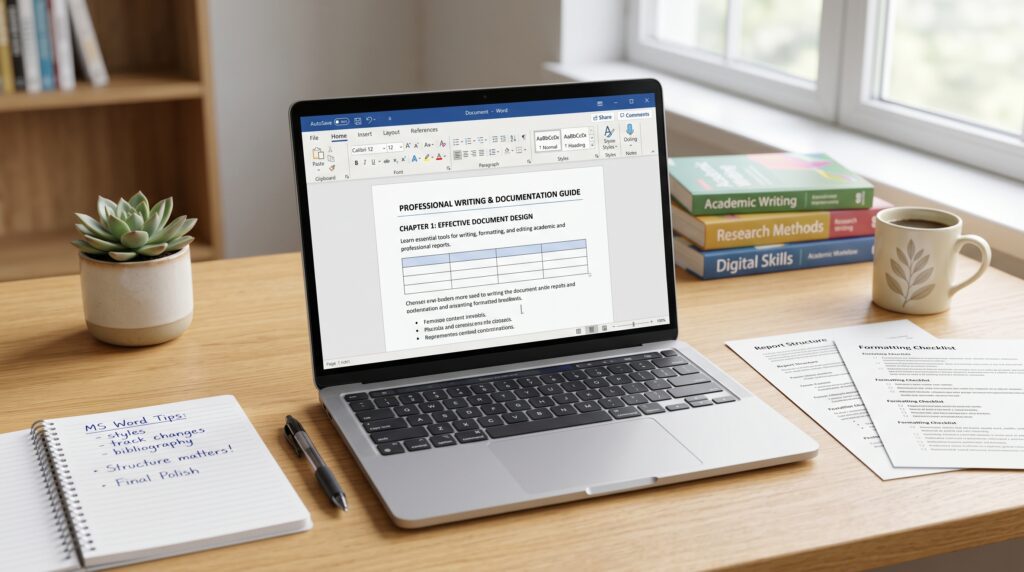
MS Word is one of the most commonly used programs in Microsoft Office. It is a word-processing software that helps users create, write, edit, format, save, and print documents. It is widely used in schools, colleges, offices, businesses, and homes for making letters, applications, reports, assignments, resumes, notices, question papers, books, and many other professional documents.
With MS Word, users can type text and improve the look of a document through different formatting tools. Text can be made bold, italic, or underlined. Users can also create headings, insert tables, add pictures, use page numbers, check spelling and grammar, and prepare documents in a neat and professional style.
The main purpose of MS Word is to make writing and documentation easier, faster, and more organized. In the past, people had to write documents by hand or use typewriters. MS Word makes this work much simpler because mistakes can be corrected easily, documents can be saved for later use, and files can be printed or shared digitally.
Important Uses of MS Word
MS Word is useful for many educational, personal, and professional tasks. Some common uses include:
Writing letters
Creating applications
Preparing reports
Making assignments
Creating CVs and resumes
Designing notices
Preparing question papers
Writing books and articles
Making tables
Inserting pictures and shapes
Setting page layout
Adding headers and footers
Checking spelling and grammar
Printing documents
Saving files as PDF
Why MS Word Is Used
MS Word is used because it helps people create clean, accurate, and professional documents. It provides helpful tools for writing, editing, formatting, and arranging text. Users can easily change font style, font size, line spacing, margins, alignment, and page design. It also helps reduce writing mistakes through spelling and grammar checking.
MS Word is helpful for students, teachers, office workers, business owners, writers, and anyone who needs to prepare written documents. It saves time, improves presentation, and makes documents easier to read, edit, store, and share.
MS Word Shortcut Keys
Shortcut Key
Function
Ctrl + N
Create a new document
Ctrl + O
Open an existing document
Ctrl + S
Save the document
Ctrl + P
Print the document
Ctrl + C
Copy selected text
Ctrl + V
Paste copied text
Ctrl + X
Cut selected text
Ctrl + Z
Undo the last action
Ctrl + Y
Redo the last action
Ctrl + A
Select all text
Ctrl + B
Make text bold
Ctrl + I
Make text italic
Ctrl + U
Underline text
Ctrl + L
Align text to the left
Ctrl + E
Align text to the center
Ctrl + R
Align text to the right
Ctrl + J
Justify text
Ctrl + F
Find a word or phrase
Ctrl + H
Replace a word or phrase
Ctrl + K
Insert a hyperlink
Ctrl + M
Increase paragraph indent
Ctrl + Shift + M
Decrease paragraph indent
Ctrl + 1
Apply single line spacing
Ctrl + 2
Apply double line spacing
Ctrl + 5
Apply 1.5 line spacing
Ctrl + Home
Go to the start of the document
Ctrl + End
Go to the end of the document
F7
Check spelling and grammar
Ctrl + Shift + >
Increase font size
Ctrl + Shift + <
Decrease font size
Conclusion
MS Word is a powerful and easy-to-use word-processing software. It helps users write, edit, format, save, print, and share documents. Because of its simple tools and professional features, MS Word is useful for students, teachers, offices, businesses, and writers. It helps users prepare clean, organized, and professional documents quickly and efficiently.
MS Word MCQs
1. Which file extension is used by default for modern MS Word documents?
A. .txt
B. .docx
C. .xlsx
D. .pptx
Answer: B. .docx
2. Which feature is used to check spelling and grammar in MS Word?
A. WordArt
B. Review Tool
C. Editor
D. Mail Merge
Answer: C. Editor
3. Which shortcut key is used to save a Word document?
A. Ctrl + P
B. Ctrl + S
C. Ctrl + O
D. Ctrl + N
Answer: B. Ctrl + S
4. Which tab contains the “Font” group in MS Word?
A. Insert
B. Home
C. Layout
D. Review
Answer: B. Home
5. Which option is used to create a duplicate of selected text?
A. Cut
B. Copy
C. Delete
D. Replace
Answer: B. Copy
6. Which shortcut key is used to make selected text bold?
A. Ctrl + B
B. Ctrl + I
C. Ctrl + U
D. Ctrl + D
Answer: A. Ctrl + B
7. Which command is used to remove selected text and place it on the clipboard?
A. Copy
B. Paste
C. Cut
D. Format
Answer: C. Cut
8. Which MS Word feature is used to combine a document with a data source?
A. Track Changes
B. Mail Merge
C. WordArt
D. SmartArt
Answer: B. Mail Merge
9. Which shortcut key opens the Print dialog box?
A. Ctrl + S
B. Ctrl + P
C. Ctrl + F
D. Ctrl + H
Answer: B. Ctrl + P
10. Which view shows how the document will look when printed?
A. Draft View
B. Outline View
C. Print Layout View
D. Web Layout View
Answer: C. Print Layout View
11. Which tab is used to insert pictures in MS Word?
A. Home
B. Insert
C. Design
D. References
Answer: B. Insert
12. Which option is used to change the space between lines?
A. Font Size
B. Line Spacing
C. Text Effects
D. Orientation
Answer: B. Line Spacing
13. Which shortcut key selects the entire document?
A. Ctrl + A
B. Ctrl + E
C. Ctrl + L
D. Ctrl + T
Answer: A. Ctrl + A
14. Which command is used to reverse the last action?
A. Redo
B. Repeat
C. Undo
D. Replace
Answer: C. Undo
15. Which shortcut key is used for Undo?
A. Ctrl + U
B. Ctrl + Z
C. Ctrl + Y
D. Ctrl + X
Answer: B. Ctrl + Z
16. Which feature allows users to see edits made in a document?
A. Word Count
B. Track Changes
C. Header
D. Page Break
Answer: B. Track Changes
17. Which tab contains the “Table of Contents” option?
A. Insert
B. Layout
C. References
D. Review
Answer: C. References
18. Which shortcut key opens the Find box?
A. Ctrl + H
B. Ctrl + G
C. Ctrl + F
D. Ctrl + R
Answer: C. Ctrl + F
19. Which shortcut key opens the Replace dialog box?
A. Ctrl + H
B. Ctrl + P
C. Ctrl + M
D. Ctrl + K
Answer: A. Ctrl + H
20. Which feature is used to insert page numbers?
A. Header & Footer
B. Word Count
C. Mail Merge
D. Styles
Answer: A. Header & Footer
21. Which alignment places text evenly between left and right margins?
A. Left
B. Center
C. Right
D. Justify
Answer: D. Justify
22. Which shortcut key is used for justified alignment?
A. Ctrl + J
B. Ctrl + R
C. Ctrl + L
D. Ctrl + E
Answer: A. Ctrl + J
23. Which shortcut key is used for center alignment?
A. Ctrl + C
B. Ctrl + E
C. Ctrl + R
D. Ctrl + M
Answer: B. Ctrl + E
24. Which command is used to insert a new page at the cursor position?
A. Section Break
B. Page Break
C. Line Break
D. Column Break
Answer: B. Page Break
25. Which shortcut key inserts a page break?
A. Ctrl + Enter
B. Shift + Enter
C. Alt + Enter
D. Ctrl + Shift + Enter
Answer: A. Ctrl + Enter
26. Which feature is used to apply predefined formatting to text?
A. Styles
B. Zoom
C. Margins
D. Clipboard
Answer: A. Styles
27. Which option changes page direction from vertical to horizontal?
A. Margins
B. Orientation
C. Size
D. Columns
Answer: B. Orientation
28. Which page orientation is wider than it is tall?
A. Portrait
B. Landscape
C. Draft
D. Normal
Answer: B. Landscape
29. Which page orientation is taller than it is wide?
A. Portrait
B. Landscape
C. Outline
D. Web
Answer: A. Portrait
30. Which option is used to adjust blank space around the page?
A. Borders
B. Margins
C. Columns
D. Indent
Answer: B. Margins
31. Which tab contains the Margins option?
A. Home
B. Insert
C. Layout
D. Review
Answer: C. Layout
32. Which feature is used to divide text into newspaper-style sections?
A. Columns
B. Tables
C. Tabs
D. Borders
Answer: A. Columns
33. Which shortcut key opens a new blank document?
A. Ctrl + N
B. Ctrl + O
C. Ctrl + W
D. Ctrl + D
Answer: A. Ctrl + N
34. Which shortcut key opens an existing document?
A. Ctrl + N
B. Ctrl + O
C. Ctrl + S
D. Ctrl + F
Answer: B. Ctrl + O
35. Which shortcut key closes the current document?
A. Ctrl + W
B. Ctrl + E
C. Ctrl + G
D. Ctrl + R
Answer: A. Ctrl + W
36. Which feature is used to add decorative text effects?
A. SmartArt
B. WordArt
C. Chart
D. Screenshot
Answer: B. WordArt
37. Which option is used to insert ready-made diagrams?
A. SmartArt
B. Track Changes
C. Mail Merge
D. References
Answer: A. SmartArt
38. Which feature shows the number of words in a document?
A. Word Count
B. Spell Check
C. Thesaurus
D. Researcher
Answer: A. Word Count
39. Which tab contains the Word Count option?
A. Home
B. Review
C. Insert
D. Design
Answer: B. Review
40. Which feature is used to find synonyms?
A. Dictionary
B. Thesaurus
C. Editor
D. Translate
Answer: B. Thesaurus
41. Which shortcut key opens the Font dialog box?
A. Ctrl + F
B. Ctrl + D
C. Ctrl + H
D. Ctrl + K
Answer: B. Ctrl + D
42. Which shortcut key underlines selected text?
A. Ctrl + U
B. Ctrl + I
C. Ctrl + B
D. Ctrl + L
Answer: A. Ctrl + U
43. Which shortcut key italicizes selected text?
A. Ctrl + B
B. Ctrl + I
C. Ctrl + U
D. Ctrl + T
Answer: B. Ctrl + I
44. Which command is used to paste copied text?
A. Ctrl + C
B. Ctrl + V
C. Ctrl + X
D. Ctrl + Z
Answer: B. Ctrl + V
45. Which shortcut key is used to cut selected text?
A. Ctrl + X
B. Ctrl + C
C. Ctrl + V
D. Ctrl + A
Answer: A. Ctrl + X
46. Which shortcut key is used to copy selected text?
A. Ctrl + V
B. Ctrl + C
C. Ctrl + X
D. Ctrl + P
Answer: B. Ctrl + C
47. Which option is used to create a list with dots?
A. Numbering
B. Bullets
C. Columns
D. Indent
Answer: B. Bullets
48. Which option is used to create a list with numbers?
A. Numbering
B. Bullets
C. Alignment
D. Styles
Answer: A. Numbering
49. Which feature creates a list with different levels?
A. Multilevel List
B. Mail Merge
C. Header
D. Footer
Answer: A. Multilevel List
50. Which area appears at the top of every page?
A. Footer
B. Header
C. Margin
D. Ribbon
Answer: B. Header
51. Which area appears at the bottom of every page?
A. Header
B. Footer
C. Title Bar
D. Status Bar
Answer: B. Footer
52. Which feature is used to insert citation sources?
A. References
B. Review
C. Design
D. Layout
Answer: A. References
53. Which feature automatically creates a list of headings with page numbers?
A. Index
B. Table of Contents
C. Bibliography
D. Caption
Answer: B. Table of Contents
54. Which feature is used to mark important words for an index?
A. Mark Entry
B. Caption
C. Cross-reference
D. Bookmark
Answer: A. Mark Entry
55. Which command is used to add explanatory notes at the bottom of a page?
A. Endnote
B. Footnote
C. Caption
D. Comment
Answer: B. Footnote
56. Which command places notes at the end of a document?
A. Footnote
B. Endnote
C. Header
D. Footer
Answer: B. Endnote
57. Which tab contains Track Changes?
A. Home
B. Insert
C. Review
D. Layout
Answer: C. Review
58. Which feature allows adding remarks without changing the main text?
A. Comment
B. Caption
C. Footer
D. Bookmark
Answer: A. Comment
59. Which option is used to protect a document from unwanted editing?
A. Restrict Editing
B. Track Changes
C. Word Count
D. Compare
Answer: A. Restrict Editing
60. Which feature compares two versions of a document?
A. Combine
B. Compare
C. Translate
D. Split
Answer: B. Compare
61. Which feature is used to convert text from one language to another?
A. Translate
B. Thesaurus
C. Editor
D. Dictate
Answer: A. Translate
62. Which feature allows speaking instead of typing?
A. Dictate
B. WordArt
C. Editor
D. Researcher
Answer: A. Dictate
63. Which option is used to insert a clickable web link?
A. Bookmark
B. Hyperlink
C. Caption
D. Cross-reference
Answer: B. Hyperlink
64. Which shortcut key inserts a hyperlink?
A. Ctrl + H
B. Ctrl + K
C. Ctrl + L
D. Ctrl + G
Answer: B. Ctrl + K
65. Which feature is used to jump to a specific place in a document?
A. Bookmark
B. WordArt
C. Zoom
D. Header
Answer: A. Bookmark
66. Which option is used to refer to headings, figures, or tables in the same document?
A. Cross-reference
B. Mail Merge
C. Hyperlink
D. Caption
Answer: A. Cross-reference
67. Which feature adds titles below pictures or tables?
A. Caption
B. Footer
C. Comment
D. Bookmark
Answer: A. Caption
68. Which tab contains the Cover Page option?
A. Home
B. Insert
C. Review
D. References
Answer: B. Insert
69. Which option is used to insert mathematical formulas?
A. Symbol
B. Equation
C. Caption
D. Object
Answer: B. Equation
70. Which option inserts special characters not available on the keyboard?
A. Symbol
B. Equation
C. Shape
D. Chart
Answer: A. Symbol
71. Which option is used to insert rows and columns?
A. Table
B. Chart
C. SmartArt
D. Text Box
Answer: A. Table
72. Which command combines two or more table cells into one?
A. Split Cells
B. Merge Cells
C. AutoFit
D. Sort
Answer: B. Merge Cells
73. Which command divides one table cell into multiple cells?
A. Merge Cells
B. Split Cells
C. Insert Cells
D. Delete Cells
Answer: B. Split Cells
74. Which feature automatically adjusts table columns to content or page width?
A. AutoFit
B. AutoCorrect
C. AutoSave
D. AutoText
Answer: A. AutoFit
75. Which feature corrects common typing mistakes automatically?
A. AutoFit
B. AutoCorrect
C. AutoFormat
D. AutoSave
Answer: B. AutoCorrect
76. Which feature stores reusable text or graphics for later use?
A. Quick Parts
B. Track Changes
C. Caption
D. Compare
Answer: A. Quick Parts
77. Which option is used to insert predesigned text boxes?
A. Text Box
B. Table
C. Footer
D. Header
Answer: A. Text Box
78. Which feature changes the overall look of a document, including colors and fonts?
A. Theme
B. Clipboard
C. Font Size
D. Paragraph
Answer: A. Theme
79. Which tab contains Themes?
A. Home
B. Design
C. Review
D. View
Answer: B. Design
80. Which option adds a background text such as “Confidential”?
A. Watermark
B. Page Color
C. Border
D. Theme
Answer: A. Watermark
81. Which option changes the background color of a page?
A. Page Color
B. Font Color
C. Highlight Color
D. Theme Color
Answer: A. Page Color
82. Which option adds a border around the page?
A. Page Borders
B. Table Borders
C. Text Effects
D. Margins
Answer: A. Page Borders
83. Which tab contains Watermark, Page Color, and Page Borders?
A. Home
B. Insert
C. Design
D. References
Answer: C. Design
84. Which view is best for working with headings and document structure?
A. Outline View
B. Web Layout
C. Draft View
D. Read Mode
Answer: A. Outline View
85. Which view is best for reading a document without editing distractions?
A. Print Layout
B. Read Mode
C. Draft View
D. Outline View
Answer: B. Read Mode
86. Which tool changes the display size of a document on screen?
A. Zoom
B. Font Size
C. Page Size
D. Margins
Answer: A. Zoom
87. Which feature displays two parts of the same document at once?
A. Split
B. Compare
C. Arrange All
D. New Window
Answer: A. Split
88. Which feature opens the same document in another window?
A. New Window
B. Split
C. Zoom
D. Draft
Answer: A. New Window
89. Which feature shows hidden formatting marks such as paragraph symbols?
A. Show/Hide 
B. Zoom
C. Editor
D. Track Changes
Answer: A. Show/Hide 
90. Which shortcut key is used to show or hide formatting marks?
A. Ctrl + Shift + 8
B. Ctrl + Shift + 7
C. Ctrl + Alt + 8
D. Alt + Shift + 8
Answer: A. Ctrl + Shift + 8
91. Which command is used to create envelopes and labels?
A. Mailings
B. References
C. Review
D. Design
Answer: A. Mailings
92. Which tab is mainly used for Mail Merge?
A. Home
B. Insert
C. Mailings
D. View
Answer: C. Mailings
93. In Mail Merge, the list of names and addresses is called what?
A. Main Document
B. Data Source
C. Template
D. Field Code
Answer: B. Data Source
94. In Mail Merge, the letter or document being sent is called what?
A. Main Document
B. Data Source
C. Header
D. Footer
Answer: A. Main Document
95. Which feature is used to insert merge fields into a document?
A. Insert Merge Field
B. Insert Caption
C. Insert Bookmark
D. Insert Comment
Answer: A. Insert Merge Field
96. Which option shows how merged documents will look before finalizing?
A. Preview Results
B. Compare
C. Track Changes
D. Show Markup
Answer: A. Preview Results
97. Which feature is used to finish Mail Merge and create final documents?
A. Finish & Merge
B. Save As
C. Export
D. Print Preview
Answer: A. Finish & Merge
98. Which command saves a Word file with a different name or format?
A. Save
B. Save As
C. Open
D. Export Only
Answer: B. Save As
99. Which option is commonly used to save a Word document as PDF?
A. Export or Save As
B. Copy
C. Print Layout
D. Find
Answer: A. Export or Save As
100. Which feature helps recover unsaved documents after a sudden shutdown?
A. AutoRecover
B. WordArt
C. Mail Merge
D. Page Break
Answer: A. AutoRecover
MS Excel

MS Excel is one of the most useful programs in Microsoft Office. It is a spreadsheet software used to store, organize, calculate, analyze, and present data. MS Excel is commonly used in schools, colleges, offices, businesses, banks, shops, and organizations for making lists, budgets, result sheets, salary sheets, invoices, reports, charts, and financial records.
In MS Excel, data is entered into rows and columns. Each box in Excel is called a cell. Users can type numbers, text, dates, and formulas in cells. Excel also allows users to perform calculations automatically by using formulas and functions such as SUM, AVERAGE, MAX, MIN, COUNT, and IF.
The main purpose of MS Excel is to make data handling easy, fast, accurate, and professional. Instead of doing calculations manually, users can use Excel formulas to get results quickly. It also helps users create charts, compare values, filter data, sort records, and prepare professional reports.
Important Uses of MS Excel
Creating spreadsheets
Making student result sheets
Preparing salary sheets
Creating budgets
Making invoices
Managing business records
Performing calculations
Creating charts and graphs
Sorting and filtering data
Preparing financial reports
Managing attendance records
Analyzing large data
Why MS Excel Is Used
MS Excel is used because it makes data management simple and accurate. It saves time by performing automatic calculations. It helps users organize information in rows and columns, apply formulas, create reports, and present data visually through charts.
MS Excel is useful for students, teachers, accountants, office workers, business owners, data entry operators, and managers. It helps users work faster, reduce errors, and make better decisions by analyzing data clearly.
MS Excel Shortcut Keys
Shortcut Key
Function
Ctrl + N
Create a new workbook
Ctrl + O
Open an existing workbook
Ctrl + S
Save the workbook
Ctrl + P
Print the worksheet
Ctrl + C
Copy selected data
Ctrl + V
Paste copied data
Ctrl + X
Cut selected data
Ctrl + Z
Undo the last action
Ctrl + Y
Redo the last action
Ctrl + A
Select all data
Ctrl + B
Make text bold
Ctrl + I
Make text italic
Ctrl + U
Underline text
Ctrl + F
Find data
Ctrl + H
Replace data
Ctrl + Home
Go to the first cell
Ctrl + End
Go to the last used cell
Ctrl + Arrow Key
Move to the edge of data
Ctrl + Shift + Arrow Key
Select data range
F2
Edit active cell
F4
Repeat last action
F7
Check spelling
Alt + Enter
Start a new line in the same cell
Ctrl + ;
Insert current date
Ctrl + Shift + ;
Insert current time
Ctrl + 1
Open Format Cells dialog box
Ctrl + Shift + L
Apply or remove filter
Ctrl + `
Show or hide formulas
Ctrl + Page Up
Move to previous worksheet
Ctrl + Page Down
Move to next worksheet
Shift + F11
Insert a new worksheet
MS Excel MCQs
1. What is MS Excel mainly used for?
A. Creating presentations
B. Managing and analyzing data
C. Editing videos
D. Designing websites
Answer: B. Managing and analyzing data
2. What is the default file extension of modern MS Excel workbooks?
A. .docx
B. .pptx
C. .xlsx
D. .accdb
Answer: C. .xlsx
3. In MS Excel, the intersection of a row and column is called a:
A. Table
B. Cell
C. Chart
D. Formula
Answer: B. Cell
4. Which symbol is used to start a formula in Excel?
A. @
B. #
C. =
D. $
Answer: C. =
5. Which function is used to add values in Excel?
A. ADD
B. TOTAL
C. SUM
D. PLUS
Answer: C. SUM
6. Which function calculates the average of numbers?
A. MEAN
B. AVERAGE
C. AVGONLY
D. MID
Answer: B. AVERAGE
7. Which function returns the largest value in a range?
A. MAX
B. HIGH
C. LARGEONLY
D. TOP
Answer: A. MAX
8. Which function returns the smallest value in a range?
A. LOW
B. MIN
C. SMALLER
D. LEAST
Answer: B. MIN
9. Which function counts numeric values only?
A. COUNT
B. COUNTA
C. COUNTBLANK
D. SUM
Answer: A. COUNT
10. Which function counts non-empty cells?
A. COUNT
B. COUNTA
C. COUNTIF
D. COUNTBLANK
Answer: B. COUNTA
11. Which shortcut key is used to save an Excel workbook?
A. Ctrl + P
B. Ctrl + S
C. Ctrl + O
D. Ctrl + N
Answer: B. Ctrl + S
12. Which shortcut key is used to print a worksheet?
A. Ctrl + P
B. Ctrl + F
C. Ctrl + H
D. Ctrl + E
Answer: A. Ctrl + P
13. Which shortcut key is used to edit the active cell?
A. F1
B. F2
C. F5
D. F7
Answer: B. F2
14. Which shortcut key inserts the current date?
A. Ctrl + D
B. Ctrl + ;
C. Ctrl + T
D. Ctrl + Shift + D
Answer: B. Ctrl + ;
15. Which shortcut key inserts the current time?
A. Ctrl + Shift + ;
B. Ctrl + T
C. Ctrl + Alt + T
D. Shift + F4
Answer: A. Ctrl + Shift + ;
16. Which feature is used to arrange data in ascending or descending order?
A. Filter
B. Sort
C. Freeze
D. Merge
Answer: B. Sort
17. Which feature is used to display only specific records?
A. Sort
B. Filter
C. Format Painter
D. AutoFill
Answer: B. Filter
18. Which shortcut key applies or removes filters?
A. Ctrl + Shift + L
B. Ctrl + L
C. Alt + F
D. Shift + F5
Answer: A. Ctrl + Shift + L
19. Which feature is used to keep rows or columns visible while scrolling?
A. Split
B. Freeze Panes
C. Wrap Text
D. Merge Cells
Answer: B. Freeze Panes
20. Which option combines multiple cells into one cell?
A. Wrap Text
B. Merge Cells
C. Split Cells
D. Group Cells
Answer: B. Merge Cells
21. Which feature displays long text on multiple lines inside a cell?
A. Wrap Text
B. Merge Cells
C. Shrink Text
D. AutoFit
Answer: A. Wrap Text
22. Which feature automatically fills a series such as days, months, or numbers?
A. AutoCorrect
B. AutoFill
C. AutoSum
D. AutoFit
Answer: B. AutoFill
23. Which command quickly adds a range of numbers?
A. AutoSum
B. AutoFill
C. AutoCorrect
D. AutoFormat
Answer: A. AutoSum
24. What does the formula =SUM(A1:A5) do?
A. Adds values from A1 to A5
B. Counts blank cells
C. Finds the largest value
D. Sorts the range
Answer: A. Adds values from A1 to A5
25. What does the formula =AVERAGE(B1:B10) calculate?
A. Total of B1 to B10
B. Average of B1 to B10
C. Highest value in B1 to B10
D. Number of blank cells
Answer: B. Average of B1 to B10
26. Which function is used to test a condition?
A. IF
B. SUM
C. NOW
D. LEFT
Answer: A. IF
27. What does the IF function return?
A. Only numbers
B. A value based on a condition
C. Only dates
D. Only text
Answer: B. A value based on a condition
28. Which function counts cells that meet a condition?
A. COUNT
B. COUNTA
C. COUNTIF
D. COUNTBLANK
Answer: C. COUNTIF
29. Which function adds cells that meet a condition?
A. SUM
B. SUMIF
C. COUNTIF
D. AVERAGE
Answer: B. SUMIF
30. Which function finds the current date and time?
A. TODAY
B. NOW
C. DATE
D. TIME
Answer: B. NOW
31. Which function returns only the current date?
A. TODAY
B. NOW
C. DATEVALUE
D. DAY
Answer: A. TODAY
32. Which function is used to join text from different cells?
A. JOIN
B. CONCAT
C. MERGE
D. LINK
Answer: B. CONCAT
33. Which operator is used for multiplication in Excel formulas?
A. x
B. *
C. ×
D. #
Answer: B. *
34. Which operator is used for division in Excel formulas?
A. /
B. \
C. ÷
D. :
Answer: A. /
35. Which operator is used for exponentiation?
A. *
B. ^
C. #
D. **
Answer: B. ^
36. Which cell reference changes when copied to another cell?
A. Absolute reference
B. Relative reference
C. Mixed reference
D. Fixed reference
Answer: B. Relative reference
37. Which symbol is used to make a cell reference absolute?
A. #
B. @
C. $
D. &
Answer: C. $
38. Which of the following is an absolute reference?
A. A1
B. $A$1
C. A$1B
D. A1$
Answer: B. $A$1
39. Which of the following is a mixed reference?
A. $A$1
B. A1
C. $A1
D. Sheet1
Answer: C. $A1
40. Which key toggles between relative, absolute, and mixed references while editing a formula?
A. F2
B. F4
C. F7
D. F12
Answer: B. F4
41. Which chart is best for showing trends over time?
A. Pie Chart
B. Line Chart
C. Doughnut Chart
D. Radar Chart
Answer: B. Line Chart
42. Which chart is best for showing parts of a whole?
A. Pie Chart
B. Scatter Chart
C. Line Chart
D. Area Chart
Answer: A. Pie Chart
43. Which chart is commonly used to compare values across categories?
A. Column Chart
B. Pie Chart
C. Surface Chart
D. Stock Chart
Answer: A. Column Chart
44. Which feature visually highlights cells based on rules?
A. Data Validation
B. Conditional Formatting
C. Freeze Panes
D. Sort
Answer: B. Conditional Formatting
45. Which feature restricts the type of data entered into a cell?
A. Data Validation
B. Conditional Formatting
C. AutoFill
D. Filter
Answer: A. Data Validation
46. Which feature removes duplicate records from a selected range?
A. Remove Duplicates
B. Delete Cells
C. Clear Formatting
D. Trim
Answer: A. Remove Duplicates
47. Which feature summarizes large data into reports?
A. PivotTable
B. WordArt
C. Screenshot
D. Mail Merge
Answer: A. PivotTable
48. Which tool is used with PivotTables to filter data visually?
A. Slicer
B. Solver
C. Goal Seek
D. Data Bar
Answer: A. Slicer
49. Which Excel feature is used to find an input value needed to reach a desired result?
A. Goal Seek
B. Filter
C. Sort
D. Flash Fill
Answer: A. Goal Seek
50. Which tool is used for advanced what-if analysis with constraints?
A. Solver
B. AutoSum
C. Data Validation
D. Freeze Panes
Answer: A. Solver
51. Which feature automatically detects patterns and fills data?
A. AutoCorrect
B. Flash Fill
C. AutoSum
D. Merge Cells
Answer: B. Flash Fill
52. Which shortcut key is used for Flash Fill?
A. Ctrl + E
B. Ctrl + F
C. Ctrl + Shift + E
D. Alt + E
Answer: A. Ctrl + E
53. Which function removes extra spaces from text?
A. CLEAN
B. TRIM
C. REMOVE
D. SPACE
Answer: B. TRIM
54. Which function changes text to uppercase?
A. UPPER
B. CAPITAL
C. PROPER
D. TEXTUP
Answer: A. UPPER
55. Which function changes text to lowercase?
A. LOWER
B. SMALL
C. DOWNCASE
D. TEXTLOW
Answer: A. LOWER
56. Which function capitalizes the first letter of each word?
A. UPPER
B. LOWER
C. PROPER
D. TITLE
Answer: C. PROPER
57. Which function returns characters from the left side of text?
A. LEFT
B. RIGHT
C. MID
D. FIND
Answer: A. LEFT
58. Which function returns characters from the right side of text?
A. LEFT
B. RIGHT
C. MID
D. SEARCH
Answer: B. RIGHT
59. Which function extracts characters from the middle of text?
A. LEFT
B. RIGHT
C. MID
D. TEXT
Answer: C. MID
60. Which function returns the number of characters in text?
A. LEN
B. COUNT
C. TEXTLEN
D. SIZE
Answer: A. LEN
61. Which function searches for text and is case-sensitive?
A. SEARCH
B. FIND
C. LOOKUP
D. MATCH
Answer: B. FIND
62. Which function searches for text and is not case-sensitive?
A. FIND
B. EXACT
C. SEARCH
D. MATCH
Answer: C. SEARCH
63. Which function checks whether two text strings are exactly the same?
A. SAME
B. EQUAL
C. EXACT
D. MATCHTEXT
Answer: C. EXACT
64. Which function rounds a number to a specified number of digits?
A. ROUND
B. INT
C. TRUNC
D. VALUE
Answer: A. ROUND
65. Which function rounds a number down to the nearest integer?
A. ROUND
B. INT
C. CEILING
D. MOD
Answer: B. INT
66. Which function returns the remainder after division?
A. MOD
B. REM
C. DIVIDE
D. LEFT
Answer: A. MOD
67. Which function converts text that looks like a number into an actual number?
A. TEXT
B. VALUE
C. NUMBER
D. CONVERTTEXT
Answer: B. VALUE
68. Which function converts a value into text with a specific format?
A. TEXT
B. VALUE
C. FORMAT
D. STRING
Answer: A. TEXT
69. Which function returns the year from a date?
A. YEAR
B. DATE
C. DAY
D. MONTH
Answer: A. YEAR
70. Which function returns the month from a date?
A. YEAR
B. MONTH
C. DAY
D. DATE
Answer: B. MONTH
71. Which function returns the day from a date?
A. DAY
B. DATE
C. TODAY
D. NOW
Answer: A. DAY
72. Which function creates a date from year, month, and day values?
A. DATE
B. TODAY
C. NOW
D. DAY
Answer: A. DATE
73. Which function returns the number of working days between two dates?
A. DAYS
B. NETWORKDAYS
C. WORKCOUNT
D. DATEVALUE
Answer: B. NETWORKDAYS
74. Which function returns a date after adding working days?
A. WORKDAY
B. NETWORKDAYS
C. DAYS360
D. EDATE
Answer: A. WORKDAY
75. Which lookup function searches vertically in a table?
A. HLOOKUP
B. VLOOKUP
C. MATCH
D. INDEX
Answer: B. VLOOKUP
76. Which lookup function searches horizontally in a table?
A. VLOOKUP
B. HLOOKUP
C. XLOOKUP
D. INDEX
Answer: B. HLOOKUP
77. Which modern lookup function can search both vertically and horizontally?
A. VLOOKUP
B. HLOOKUP
C. XLOOKUP
D. SUMLOOKUP
Answer: C. XLOOKUP
78. Which function returns the position of a value in a range?
A. INDEX
B. MATCH
C. LOOKUP
D. OFFSET
Answer: B. MATCH
79. Which function returns a value from a specific row and column in a range?
A. MATCH
B. INDEX
C. LOOKUP
D. FIND
Answer: B. INDEX
80. Which error appears when a formula refers to a cell that is not valid?
A. #DIV/0!
B. #REF!
C. #VALUE!
D. #NAME?
Answer: B. #REF!
81. Which error appears when a formula divides by zero?
A. #DIV/0!
B. #REF!
C. #N/A
D. #NULL!
Answer: A. #DIV/0!
82. Which error appears when Excel does not recognize text in a formula?
A. #VALUE!
B. #NAME?
C. #NUM!
D. #N/A
Answer: B. #NAME?
83. Which error appears when a value is not available to a formula?
A. #N/A
B. #REF!
C. #DIV/0!
D. #NULL!
Answer: A. #N/A
84. Which error appears when the wrong type of argument is used in a formula?
A. #VALUE!
B. #REF!
C. #NAME?
D. #NUM!
Answer: A. #VALUE!
85. Which function is used to handle errors in formulas?
A. IFERROR
B. ERRORFIX
C. FIXERROR
D. CHECKERROR
Answer: A. IFERROR
86. Which command is used to protect a worksheet?
A. Protect Sheet
B. Lock File
C. Freeze Sheet
D. Secure Cells
Answer: A. Protect Sheet
87. Which command is used to protect the entire workbook structure?
A. Protect Sheet
B. Protect Workbook
C. Encrypt Cell
D. Freeze Workbook
Answer: B. Protect Workbook
88. Which option is used to hide formulas from users after protection?
A. Hidden option in Format Cells
B. Freeze Panes
C. Wrap Text
D. AutoFit
Answer: A. Hidden option in Format Cells
89. Which tab contains most formula-related tools?
A. Home
B. Insert
C. Formulas
D. Review
Answer: C. Formulas
90. Which tab contains Sort and Filter tools?
A. Data
B. Insert
C. Review
D. View
Answer: A. Data
91. Which tab contains chart insertion options?
A. Home
B. Insert
C. Page Layout
D. Formulas
Answer: B. Insert
92. Which view shows how a worksheet will look when printed?
A. Normal View
B. Page Layout View
C. Formula View
D. Data View
Answer: B. Page Layout View
93. Which view is the default worksheet view in Excel?
A. Normal View
B. Page Break Preview
C. Page Layout View
D. Reading View
Answer: A. Normal View
94. Which feature shows where pages will break when printing?
A. Page Break Preview
B. Freeze Panes
C. Split
D. Print Titles
Answer: A. Page Break Preview
95. Which option repeats selected rows or columns on every printed page?
A. Print Titles
B. Freeze Panes
C. Page Break
D. Wrap Text
Answer: A. Print Titles
96. Which feature is used to insert a new worksheet quickly?
A. Ctrl + N
B. Shift + F11
C. Ctrl + W
D. Alt + F4
Answer: B. Shift + F11
97. Which shortcut key moves to the next worksheet?
A. Ctrl + Page Down
B. Ctrl + Page Up
C. Alt + Page Down
D. Shift + Page Down
Answer: A. Ctrl + Page Down
98. Which shortcut key moves to the previous worksheet?
A. Ctrl + Page Down
B. Ctrl + Page Up
C. Alt + Page Up
D. Shift + Page Up
Answer: B. Ctrl + Page Up
99. Which shortcut key shows or hides formulas in a worksheet?
A. Ctrl + B. Ctrl + F C. Ctrl + Shift + F D. Alt +
Answer: A. Ctrl + `
100. Which feature helps recover unsaved Excel files after a sudden shutdown?
A. AutoRecover
B. AutoFilter
C. Flash Fill
D. Data Validation
Answer: A. AutoRecover
MS PowerPoint

MS PowerPoint is an important program in Microsoft Office. It is presentation software used to create slides for teaching, business meetings, lectures, seminars, training sessions, school projects, and professional presentations.
In MS PowerPoint, users can create slides and add text, pictures, shapes, charts, tables, videos, audio, animations, and transitions. It helps users present information in a clear, attractive, and well-organized way.
The main purpose of MS PowerPoint is to explain ideas visually. Instead of reading only plain text, people can understand a topic more easily through slides, images, bullet points, diagrams, and animations. PowerPoint is widely used by students, teachers, trainers, office workers, business owners, and public speakers.
Important Uses of MS PowerPoint
Creating presentations
Making lecture slides
Preparing school and college projects
Designing business reports
Presenting company plans
Creating training material
Making seminar slides
Adding charts and diagrams
Showing images and videos
Creating animated presentations
Presenting sales proposals
Preparing professional slideshows
Why MS PowerPoint Is Used
MS PowerPoint is used because it makes communication easier and more effective. It allows users to present information step by step through slides. It also helps make simple or dry information more interesting with colors, images, charts, transitions, and animations.
PowerPoint is useful because it saves time, improves presentation quality, and helps the audience understand information quickly. It is commonly used in education, business, offices, meetings, online classes, and training programs.
MS PowerPoint Shortcut Keys
Shortcut Key
Function
Ctrl + N
Create a new presentation
Ctrl + O
Open an existing presentation
Ctrl + S
Save the presentation
Ctrl + P
Print the presentation
Ctrl + C
Copy selected object/text
Ctrl + V
Paste copied object/text
Ctrl + X
Cut selected object/text
Ctrl + Z
Undo last action
Ctrl + Y
Redo last action
Ctrl + A
Select all objects
Ctrl + M
Insert a new slide
Ctrl + D
Duplicate selected slide/object
Ctrl + B
Bold selected text
Ctrl + I
Italicize selected text
Ctrl + U
Underline selected text
Ctrl + F
Find text
Ctrl + H
Replace text
F5
Start slideshow from beginning
Shift + F5
Start slideshow from current slide
Esc
End slideshow
Page Down
Move to next slide
Page Up
Move to previous slide
Ctrl + K
Insert hyperlink
Ctrl + G
Group selected objects
Ctrl + Shift + G
Ungroup selected objects
Ctrl + Shift + C
Copy formatting
Ctrl + Shift + V
Paste formatting
Alt + F4
Close PowerPoint
MS PowerPoint MCQs
1. What is MS PowerPoint mainly used for?
A. Creating spreadsheets
B. Creating presentations
C. Managing databases
D. Editing text documents
Answer: B. Creating presentations
2. What is the default file extension of modern PowerPoint presentations?
A. .docx
B. .xlsx
C. .pptx
D. .accdb
Answer: C. .pptx
3. A single page in PowerPoint is called a:
A. Sheet
B. Slide
C. Record
D. Cell
Answer: B. Slide
4. Which shortcut key inserts a new slide?
A. Ctrl + N
B. Ctrl + M
C. Ctrl + S
D. Ctrl + D
Answer: B. Ctrl + M
5. Which shortcut key starts a slideshow from the beginning?
A. F1
B. F2
C. F5
D. F7
Answer: C. F5
6. Which shortcut key starts a slideshow from the current slide?
A. Shift + F5
B. Ctrl + F5
C. Alt + F5
D. Shift + F7
Answer: A. Shift + F5
7. Which key ends a running slideshow?
A. Enter
B. Spacebar
C. Esc
D. Tab
Answer: C. Esc
8. Which tab is used to add pictures, shapes, charts, and text boxes?
A. Home
B. Insert
C. Design
D. Review
Answer: B. Insert
9. Which tab is used to change slide themes?
A. Design
B. Insert
C. Animations
D. View
Answer: A. Design
10. Which tab is used to add movement effects to objects?
A. Transitions
B. Animations
C. Review
D. File
Answer: B. Animations
11. Which tab is used to add effects between slides?
A. Animations
B. Transitions
C. Design
D. Home
Answer: B. Transitions
12. What is the difference between animation and transition?
A. Animation affects slides, transition affects text
B. Animation affects objects, transition affects slide changes
C. Both are the same
D. Transition affects only charts
Answer: B. Animation affects objects, transition affects slide changes
13. Which view is commonly used to edit slides?
A. Normal View
B. Slide Sorter View
C. Reading View
D. Notes Page View
Answer: A. Normal View
14. Which view shows all slides as thumbnails for easy rearranging?
A. Normal View
B. Slide Sorter View
C. Outline View
D. Notes View
Answer: B. Slide Sorter View
15. Which view is useful for delivering a presentation on screen without full slideshow mode?
A. Reading View
B. Slide Sorter View
C. Notes Page View
D. Master View
Answer: A. Reading View
16. Which feature controls the overall design and layout of all slides?
A. Slide Master
B. WordArt
C. SmartArt
D. Slide Show
Answer: A. Slide Master
17. Which view is used to edit Slide Master?
A. Review View
B. Master View
C. Insert View
D. Reading View
Answer: B. Master View
18. Which feature is used to keep the same logo on all slides?
A. Slide Master
B. Spell Check
C. Format Painter
D. Animation Pane
Answer: A. Slide Master
19. Which command creates an exact copy of a selected slide?
A. New Slide
B. Duplicate Slide
C. Reset Slide
D. Reuse Slide
Answer: B. Duplicate Slide
20. Which shortcut key duplicates a selected object or slide?
A. Ctrl + C
B. Ctrl + D
C. Ctrl + X
D. Ctrl + M
Answer: B. Ctrl + D
21. Which option is used to choose a predefined slide arrangement?
A. Layout
B. Theme
C. Transition
D. Animation
Answer: A. Layout
22. Which option restores a slide to its default placeholder position?
A. Reset
B. Clear
C. Restore
D. Refresh
Answer: A. Reset
23. Which feature is used to add speaker notes?
A. Notes Pane
B. Footer
C. Header
D. Caption
Answer: A. Notes Pane
24. Which feature helps the presenter see notes while the audience sees slides?
A. Reading View
B. Presenter View
C. Slide Sorter
D. Outline View
Answer: B. Presenter View
25. Which feature is used to check spelling in PowerPoint?
A. Editor/Spelling
B. Animation Pane
C. Slide Master
D. Format Painter
Answer: A. Editor/Spelling
26. Which shortcut key saves a PowerPoint presentation?
A. Ctrl + P
B. Ctrl + S
C. Ctrl + O
D. Ctrl + N
Answer: B. Ctrl + S
27. Which shortcut key opens an existing presentation?
A. Ctrl + N
B. Ctrl + O
C. Ctrl + M
D. Ctrl + E
Answer: B. Ctrl + O
28. Which shortcut key creates a new presentation?
A. Ctrl + N
B. Ctrl + S
C. Ctrl + P
D. Ctrl + H
Answer: A. Ctrl + N
29. Which shortcut key prints a presentation?
A. Ctrl + P
B. Ctrl + F
C. Ctrl + T
D. Ctrl + R
Answer: A. Ctrl + P
30. Which shortcut key is used to copy selected text or object?
A. Ctrl + X
B. Ctrl + C
C. Ctrl + V
D. Ctrl + Z
Answer: B. Ctrl + C
31. Which shortcut key is used to paste copied content?
A. Ctrl + P
B. Ctrl + V
C. Ctrl + X
D. Ctrl + A
Answer: B. Ctrl + V
32. Which shortcut key is used to cut selected content?
A. Ctrl + X
B. Ctrl + C
C. Ctrl + D
D. Ctrl + G
Answer: A. Ctrl + X
33. Which shortcut key undoes the last action?
A. Ctrl + Y
B. Ctrl + Z
C. Ctrl + U
D. Ctrl + I
Answer: B. Ctrl + Z
34. Which shortcut key redoes the last undone action?
A. Ctrl + Y
B. Ctrl + Z
C. Ctrl + R
D. Ctrl + E
Answer: A. Ctrl + Y
35. Which shortcut key selects all objects on a slide?
A. Ctrl + S
B. Ctrl + A
C. Ctrl + L
D. Ctrl + F
Answer: B. Ctrl + A
36. Which shortcut key makes selected text bold?
A. Ctrl + B
B. Ctrl + I
C. Ctrl + U
D. Ctrl + D
Answer: A. Ctrl + B
37. Which shortcut key italicizes selected text?
A. Ctrl + B
B. Ctrl + I
C. Ctrl + U
D. Ctrl + T
Answer: B. Ctrl + I
38. Which shortcut key underlines selected text?
A. Ctrl + U
B. Ctrl + I
C. Ctrl + B
D. Ctrl + M
Answer: A. Ctrl + U
39. Which shortcut key inserts a hyperlink?
A. Ctrl + H
B. Ctrl + K
C. Ctrl + L
D. Ctrl + G
Answer: B. Ctrl + K
40. Which shortcut key opens Find?
A. Ctrl + F
B. Ctrl + H
C. Ctrl + G
D. Ctrl + M
Answer: A. Ctrl + F
41. Which shortcut key opens Replace?
A. Ctrl + F
B. Ctrl + H
C. Ctrl + R
D. Ctrl + K
Answer: B. Ctrl + H
42. Which shortcut key groups selected objects?
A. Ctrl + G
B. Ctrl + M
C. Ctrl + D
D. Ctrl + T
Answer: A. Ctrl + G
43. Which shortcut key ungroups selected objects?
A. Ctrl + Shift + G
B. Ctrl + Alt + G
C. Shift + G
D. Alt + G
Answer: A. Ctrl + Shift + G
44. Which tool copies formatting from one object to another?
A. Format Painter
B. Slide Master
C. SmartArt
D. Design Ideas
Answer: A. Format Painter
45. Which shortcut key copies formatting?
A. Ctrl + Shift + C
B. Ctrl + C
C. Ctrl + Alt + C
D. Shift + C
Answer: A. Ctrl + Shift + C
46. Which shortcut key pastes formatting?
A. Ctrl + Shift + V
B. Ctrl + V
C. Ctrl + Alt + V
D. Shift + V
Answer: A. Ctrl + Shift + V
47. Which feature suggests automatic slide designs?
A. Designer/Design Ideas
B. Slide Sorter
C. Notes Pane
D. Animation Pane
Answer: A. Designer/Design Ideas
48. Which feature is used to create diagrams such as process, hierarchy, and cycle diagrams?
A. SmartArt
B. WordArt
C. Screenshot
D. Slide Master
Answer: A. SmartArt
49. Which feature is used to create decorative text?
A. WordArt
B. SmartArt
C. Chart
D. Table
Answer: A. WordArt
50. Which object is best for presenting numeric data visually?
A. Chart
B. WordArt
C. Comment
D. Header
Answer: A. Chart
51. Which option is used to insert rows and columns in PowerPoint?
A. Table
B. Chart
C. SmartArt
D. Shapes
Answer: A. Table
52. Which feature is used to draw circles, arrows, rectangles, and lines?
A. Shapes
B. Charts
C. Transitions
D. Themes
Answer: A. Shapes
53. Which feature is used to crop an image?
A. Crop
B. Compress
C. Reset Picture
D. Remove Background
Answer: A. Crop
54. Which feature removes unwanted background from an image?
A. Remove Background
B. Crop
C. Compress Picture
D. Artistic Effects
Answer: A. Remove Background
55. Which feature reduces file size by reducing image quality?
A. Compress Pictures
B. Reset Picture
C. Crop Image
D. Picture Border
Answer: A. Compress Pictures
56. Which option restores a picture to its original appearance?
A. Reset Picture
B. Crop
C. Compress
D. Recolor
Answer: A. Reset Picture
57. Which feature controls animation order and timing?
A. Animation Pane
B. Slide Master
C. Notes Pane
D. Selection Pane
Answer: A. Animation Pane
58. Which animation type makes an object appear on a slide?
A. Entrance
B. Exit
C. Emphasis
D. Motion Path
Answer: A. Entrance
59. Which animation type makes an object disappear from a slide?
A. Entrance
B. Exit
C. Emphasis
D. Transition
Answer: B. Exit
60. Which animation type draws attention to an existing object?
A. Entrance
B. Exit
C. Emphasis
D. Slide Master
Answer: C. Emphasis
61. Which animation type moves an object along a path?
A. Motion Path
B. Entrance
C. Exit
D. Morph
Answer: A. Motion Path
62. Which transition creates smooth movement between similar objects on two slides?
A. Morph
B. Fade
C. Push
D. Wipe
Answer: A. Morph
63. Which transition makes one slide gradually appear?
A. Fade
B. Split
C. Cover
D. Random Bars
Answer: A. Fade
64. Which setting controls how long a transition takes?
A. Duration
B. Delay
C. Loop
D. Trigger
Answer: A. Duration
65. Which setting allows slides to move automatically after a set time?
A. Advance Slide After
B. Hide Slide
C. Rehearse Timing
D. Presenter View
Answer: A. Advance Slide After
66. Which feature is used to practice and record slide timings?
A. Rehearse Timings
B. Slide Master
C. Design Ideas
D. Reset Slide
Answer: A. Rehearse Timings
67. Which feature records narration, ink, and timings?
A. Record Slide Show
B. Reading View
C. Slide Sorter
D. Format Painter
Answer: A. Record Slide Show
68. Which option hides a slide during slideshow without deleting it?
A. Hide Slide
B. Delete Slide
C. Lock Slide
D. Reset Slide
Answer: A. Hide Slide
69. Which option is used to create a clickable button during a presentation?
A. Action Button
B. WordArt
C. Slide Number
D. Chart
Answer: A. Action Button
70. Which feature allows jumping to another slide, file, or webpage?
A. Hyperlink
B. Animation
C. Transition
D. Theme
Answer: A. Hyperlink
71. Which feature is used to create custom paths through selected slides?
A. Custom Slide Show
B. Slide Master
C. Notes Page
D. Page Setup
Answer: A. Custom Slide Show
72. Which option is used to add slide numbers?
A. Header & Footer
B. Word Count
C. Slide Master Only
D. Notes Pane
Answer: A. Header & Footer
73. Which placeholder is used to add text on a slide?
A. Text Placeholder
B. Chart Placeholder
C. Image Placeholder
D. Shape Placeholder
Answer: A. Text Placeholder
74. Which file format is used for a PowerPoint show that opens directly in slideshow mode?
A. .pptx
B. .ppsx
C. .docx
D. .xlsx
Answer: B. .ppsx
75. Which format is used for a PowerPoint template?
A. .potx
B. .pptx
C. .ppsx
D. .pdf
Answer: A. .potx
76. Which format is used for macro-enabled PowerPoint presentations?
A. .pptm
B. .pptx
C. .ppsx
D. .potx
Answer: A. .pptm
77. Which option is commonly used to save a presentation as PDF?
A. Export or Save As
B. Slide Master
C. Print Preview only
D. Notes Pane
Answer: A. Export or Save As
78. Which option is used to export a presentation as a video?
A. Export
B. Review
C. Slide Master
D. Reset
Answer: A. Export
79. Which feature checks accessibility problems in a presentation?
A. Accessibility Checker
B. Spell Check
C. Slide Sorter
D. Format Painter
Answer: A. Accessibility Checker
80. Which feature is used to add comments for review?
A. Comments
B. Notes
C. Footer
D. WordArt
Answer: A. Comments
81. Which tab contains comments and proofing tools?
A. Review
B. Insert
C. Design
D. Transitions
Answer: A. Review
82. Which feature is used to compare two presentations?
A. Compare
B. Merge Cells
C. Match Slides
D. View Notes
Answer: A. Compare
83. Which pane lists objects on a slide and helps show or hide them?
A. Selection Pane
B. Notes Pane
C. Comments Pane
D. Slide Pane
Answer: A. Selection Pane
84. Which feature helps align objects evenly?
A. Align
B. Crop
C. Reset
D. Record
Answer: A. Align
85. Which feature makes equal spacing between selected objects?
A. Distribute
B. Group
C. Crop
D. Compress
Answer: A. Distribute
86. Which feature combines selected objects so they move together?
A. Group
B. Merge
C. Crop
D. Reset
Answer: A. Group
87. Which feature separates grouped objects?
A. Ungroup
B. Split Slide
C. Reset
D. Reuse
Answer: A. Ungroup
88. Which feature changes the stacking order of objects?
A. Bring Forward/Send Backward
B. Crop
C. Compress
D. Reset Slide
Answer: A. Bring Forward/Send Backward
89. Which option is used to rotate an object?
A. Rotate
B. Flip Slide
C. Rehearse
D. Record
Answer: A. Rotate
90. Which option is used to make objects equal in size manually?
A. Size settings
B. Slide Master only
C. Notes Pane
D. Slide Show
Answer: A. Size settings
91. Which view is used to edit notes as pages?
A. Notes Page View
B. Slide Sorter
C. Reading View
D. Outline View
Answer: A. Notes Page View
92. Which view focuses on text structure of slides?
A. Outline View
B. Reading View
C. Slide Sorter
D. Notes Page
Answer: A. Outline View
93. Which feature allows using slides from another presentation?
A. Reuse Slides
B. Import Cells
C. Merge Notes
D. Copy Theme only
Answer: A. Reuse Slides
94. Which option changes the slide size, such as widescreen or standard?
A. Slide Size
B. Page Border
C. Zoom
D. Layout Reset
Answer: A. Slide Size
95. Which slide size is commonly used for modern screens?
A. Widescreen 16:9
B. Standard 4:3 only
C. A4 only
D. Letter only
Answer: A. Widescreen 16:9
96. Which feature is used to zoom into a slide section during presentation?
A. Zoom
B. Crop
C. Slide Number
D. Reset
Answer: A. Zoom
97. Which object can contain video in a presentation?
A. Media object
B. Footer only
C. Slide number only
D. Transition only
Answer: A. Media object
98. Which option inserts sound into a presentation?
A. Audio
B. Chart
C. SmartArt
D. Table
Answer: A. Audio
99. Which option is used to insert a screen recording?
A. Screen Recording
B. Screenshot only
C. Slide Master
D. Notes Page
Answer: A. Screen Recording
100. Which feature helps recover unsaved PowerPoint files after a sudden shutdown?
A. AutoRecover
B. Slide Sorter
C. Animation Pane
D. Design Ideas
Answer: A. AutoRecover
MS Office

MS Office is a complete software package developed by Microsoft. It includes different programs that are used for writing documents, making calculations, creating presentations, managing databases, sending emails, and handling office work in a professional way.
MS Office is commonly used in schools, colleges, universities, offices, banks, businesses, government departments, and homes. It helps users complete daily computer-based tasks quickly, neatly, and accurately.
The most common programs in MS Office are MS Word, MS Excel, MS PowerPoint, MS Access, MS Outlook, MS OneNote, and MS Publisher. Each program has a different purpose. For example, MS Word is used for documents, MS Excel is used for spreadsheets, MS PowerPoint is used for presentations, and MS Access is used for databases.
The main purpose of MS Office is to make office work easier, faster, and more organized. It allows users to create professional files, save data, edit information, print documents, prepare reports, and share work digitally.
Important Uses of MS Office
Creating documents
Preparing reports
Making spreadsheets
Performing calculations
Creating presentations
Managing databases
Designing resumes and letters
Preparing invoices and salary sheets
Making charts and graphs
Sending and managing emails
Creating notes
Printing professional files
Saving files in different formats
Sharing documents online
Improving office productivity
Main Programs of MS Office
Program
Main Use
MS Word
Used for creating and editing documents
MS Excel
Used for calculations, data analysis, and spreadsheets
MS PowerPoint
Used for creating presentations and slides
MS Access
Used for creating and managing databases
MS Outlook
Used for emails, calendar, and contacts
MS OneNote
Used for taking and organizing notes
MS Publisher
Used for designing cards, brochures, and newsletters
Why MS Office Is Used
MS Office is used because it gives users many useful tools in one package. It helps students, teachers, office workers, accountants, managers, business owners, and professionals complete their work efficiently.
It saves time, reduces mistakes, improves document quality, and gives work a professional look. With MS Office, users can write documents, calculate data, prepare presentations, store information, and communicate through email.
MS Office Shortcut Keys
Shortcut Key
Function
Ctrl + N
Create a new file
Ctrl + O
Open an existing file
Ctrl + S
Save the file
Ctrl + P
Print the file
Ctrl + C
Copy selected text or data
Ctrl + V
Paste copied text or data
Ctrl + X
Cut selected text or data
Ctrl + Z
Undo last action
Ctrl + Y
Redo last action
Ctrl + A
Select all
Ctrl + F
Find text or data
Ctrl + H
Replace text or data
Ctrl + B
Bold selected text
Ctrl + I
Italicize selected text
Ctrl + U
Underline selected text
Ctrl + K
Insert hyperlink
Ctrl + W
Close current file
Ctrl + F4
Close current document window
Alt + F4
Close the active program
F1
Open Help
F7
Check spelling and grammar
Ctrl + Home
Go to the beginning
Ctrl + End
Go to the end
MS Office MCQs
1. What is MS Office mainly used for?
A. Playing games
B. Professional office and productivity work
C. Editing only pictures
D. Browsing websites
Answer: B. Professional office and productivity work
2. Which company developed MS Office?
A. Google
B. Apple
C. Microsoft
D. IBM
Answer: C. Microsoft
3. Which MS Office program is mainly used for word processing?
A. MS Excel
B. MS Word
C. MS Access
D. MS PowerPoint
Answer: B. MS Word
4. Which MS Office program is mainly used for spreadsheets?
A. MS Excel
B. MS Word
C. MS PowerPoint
D. MS Publisher
Answer: A. MS Excel
5. Which MS Office program is mainly used for presentations?
A. MS Access
B. MS Word
C. MS PowerPoint
D. MS Outlook
Answer: C. MS PowerPoint
6. Which MS Office program is mainly used for databases?
A. MS Word
B. MS Excel
C. MS Access
D. MS OneNote
Answer: C. MS Access
7. Which MS Office program is mainly used for emails and calendar management?
A. MS Outlook
B. MS Publisher
C. MS Access
D. MS Word
Answer: A. MS Outlook
8. Which MS Office program is used for taking digital notes?
A. MS Excel
B. MS OneNote
C. MS Access
D. MS PowerPoint
Answer: B. MS OneNote
9. Which MS Office program is used for brochures and newsletters?
A. MS Publisher
B. MS WordPad
C. MS Paint
D. MS Access
Answer: A. MS Publisher
10. Which shortcut key is commonly used to save files in MS Office?
A. Ctrl + O
B. Ctrl + S
C. Ctrl + P
D. Ctrl + N
Answer: B. Ctrl + S
11. Which shortcut key is used to print in most MS Office programs?
A. Ctrl + P
B. Ctrl + F
C. Ctrl + H
D. Ctrl + K
Answer: A. Ctrl + P
12. Which shortcut key is used to create a new file?
A. Ctrl + N
B. Ctrl + O
C. Ctrl + W
D. Ctrl + A
Answer: A. Ctrl + N
13. Which shortcut key opens an existing file?
A. Ctrl + N
B. Ctrl + O
C. Ctrl + S
D. Ctrl + X
Answer: B. Ctrl + O
14. Which shortcut key is used to copy selected content?
A. Ctrl + X
B. Ctrl + C
C. Ctrl + V
D. Ctrl + Z
Answer: B. Ctrl + C
15. Which shortcut key is used to paste copied content?
A. Ctrl + V
B. Ctrl + C
C. Ctrl + X
D. Ctrl + P
Answer: A. Ctrl + V
16. Which shortcut key is used to cut selected content?
A. Ctrl + X
B. Ctrl + C
C. Ctrl + S
D. Ctrl + H
Answer: A. Ctrl + X
17. Which shortcut key is used to undo an action?
A. Ctrl + Y
B. Ctrl + Z
C. Ctrl + U
D. Ctrl + I
Answer: B. Ctrl + Z
18. Which shortcut key is used to redo an action?
A. Ctrl + Z
B. Ctrl + Y
C. Ctrl + R
D. Ctrl + E
Answer: B. Ctrl + Y
19. Which shortcut key selects all content?
A. Ctrl + A
B. Ctrl + S
C. Ctrl + L
D. Ctrl + T
Answer: A. Ctrl + A
20. Which shortcut key is used to find text or data?
A. Ctrl + F
B. Ctrl + H
C. Ctrl + K
D. Ctrl + M
Answer: A. Ctrl + F
21. Which shortcut key is used to replace text or data?
A. Ctrl + R
B. Ctrl + H
C. Ctrl + F
D. Ctrl + G
Answer: B. Ctrl + H
22. Which shortcut key inserts a hyperlink?
A. Ctrl + K
B. Ctrl + H
C. Ctrl + L
D. Ctrl + E
Answer: A. Ctrl + K
23. Which shortcut key makes selected text bold?
A. Ctrl + B
B. Ctrl + I
C. Ctrl + U
D. Ctrl + D
Answer: A. Ctrl + B
24. Which shortcut key italicizes selected text?
A. Ctrl + B
B. Ctrl + I
C. Ctrl + U
D. Ctrl + M
Answer: B. Ctrl + I
25. Which shortcut key underlines selected text?
A. Ctrl + U
B. Ctrl + I
C. Ctrl + B
D. Ctrl + N
Answer: A. Ctrl + U
26. What is the default extension of modern MS Word files?
A. .xlsx
B. .pptx
C. .docx
D. .accdb
Answer: C. .docx
27. What is the default extension of modern MS Excel files?
A. .docx
B. .xlsx
C. .pptx
D. .one
Answer: B. .xlsx
28. What is the default extension of modern MS PowerPoint files?
A. .pptx
B. .xlsx
C. .docx
D. .mdb
Answer: A. .pptx
29. What is the default extension of modern MS Access database files?
A. .docx
B. .accdb
C. .pptx
D. .xlsx
Answer: B. .accdb
30. Which MS Office program uses slides?
A. MS Word
B. MS Excel
C. MS PowerPoint
D. MS Access
Answer: C. MS PowerPoint
31. Which MS Office program uses cells, rows, and columns?
A. MS Word
B. MS Excel
C. MS PowerPoint
D. MS Outlook
Answer: B. MS Excel
32. Which MS Office program uses tables, queries, forms, and reports?
A. MS Access
B. MS Word
C. MS Excel
D. MS OneNote
Answer: A. MS Access
33. Which MS Office program is best for writing applications and letters?
A. MS Word
B. MS Excel
C. MS Access
D. MS PowerPoint
Answer: A. MS Word
34. Which MS Office program is best for salary sheets and budgets?
A. MS Word
B. MS Excel
C. MS PowerPoint
D. MS Publisher
Answer: B. MS Excel
35. Which MS Office program is best for seminar slides?
A. MS Word
B. MS Access
C. MS PowerPoint
D. MS Outlook
Answer: C. MS PowerPoint
36. Which MS Office program is best for storing customer records in database form?
A. MS Word
B. MS Access
C. MS PowerPoint
D. MS Publisher
Answer: B. MS Access
37. Which feature is commonly used in MS Word to check spelling and grammar?
A. Editor
B. Solver
C. Slide Master
D. Query Wizard
Answer: A. Editor
38. Which feature is commonly used in MS Excel to summarize large data?
A. PivotTable
B. Slide Master
C. Mail Merge
D. WordArt
Answer: A. PivotTable
39. Which feature is commonly used in MS PowerPoint to control design across all slides?
A. Slide Master
B. AutoSum
C. Mail Merge
D. Query
Answer: A. Slide Master
40. Which feature is commonly used in MS Access to extract specific data?
A. Query
B. Animation
C. Word Count
D. Slide Sorter
Answer: A. Query
41. Which MS Office feature is used in Word to create multiple letters using a data source?
A. Mail Merge
B. PivotTable
C. Slide Transition
D. Data Validation
Answer: A. Mail Merge
42. Which MS Office feature is used in Excel to limit data entry?
A. Data Validation
B. Slide Master
C. Mail Merge
D. Header
Answer: A. Data Validation
43. Which MS Office feature is used in PowerPoint to apply movement to objects?
A. Animation
B. Query
C. Formula
D. Mail Merge
Answer: A. Animation
44. Which MS Office feature is used in Access to enter data through a user-friendly screen?
A. Form
B. Slide
C. Cell
D. Paragraph
Answer: A. Form
45. Which MS Office program is best for creating charts from numerical data?
A. MS Excel
B. MS Word
C. MS Outlook
D. MS Access
Answer: A. MS Excel
46. Which MS Office program is best for delivering visual lectures?
A. MS Word
B. MS PowerPoint
C. MS Access
D. MS Excel
Answer: B. MS PowerPoint
47. Which MS Office program is best for creating long text documents?
A. MS Word
B. MS PowerPoint
C. MS Excel
D. MS Access
Answer: A. MS Word
48. Which MS Office program is best for managing emails?
A. MS Outlook
B. MS Access
C. MS Word
D. MS Excel
Answer: A. MS Outlook
49. Which MS Office program is best for digital notebooks?
A. MS OneNote
B. MS PowerPoint
C. MS Access
D. MS Publisher
Answer: A. MS OneNote
50. Which MS Office application is mainly used for desktop publishing?
A. MS Publisher
B. MS Excel
C. MS Word
D. MS Outlook
Answer: A. MS Publisher
51. Which shortcut key closes the current file window?
A. Ctrl + W
B. Ctrl + S
C. Ctrl + N
D. Ctrl + B
Answer: A. Ctrl + W
52. Which function key is commonly used to open Help in MS Office?
A. F1
B. F2
C. F5
D. F7
Answer: A. F1
53. Which function key is commonly used for spelling check in Word and PowerPoint?
A. F1
B. F2
C. F7
D. F12
Answer: C. F7
54. Which shortcut key moves to the beginning of a document or sheet area?
A. Ctrl + Home
B. Ctrl + End
C. Ctrl + Page Up
D. Ctrl + Page Down
Answer: A. Ctrl + Home
55. Which shortcut key moves to the end of a document or used area?
A. Ctrl + Home
B. Ctrl + End
C. Ctrl + N
D. Ctrl + O
Answer: B. Ctrl + End
56. In MS Excel, which sign starts a formula?
A. #
B. @
C. =
D. $
Answer: C. =
57. In MS Word, which feature creates an automatic list of headings with page numbers?
A. Table of Contents
B. PivotTable
C. Slide Sorter
D. Relationship
Answer: A. Table of Contents
58. In MS PowerPoint, which effect is applied between slides?
A. Transition
B. Formula
C. Query
D. Caption
Answer: A. Transition
59. In MS Excel, which function adds values?
A. SUM
B. ADDTEXT
C. TOTALONLY
D. JOIN
Answer: A. SUM
60. In MS Access, what is a primary key used for?
A. To uniquely identify each record
B. To create animations
C. To apply bold text
D. To start a slideshow
Answer: A. To uniquely identify each record
61. Which MS Office program uses workbooks and worksheets?
A. MS Excel
B. MS Word
C. MS Access
D. MS Publisher
Answer: A. MS Excel
62. Which MS Office program uses documents and pages?
A. MS Word
B. MS Excel
C. MS Access
D. MS Outlook
Answer: A. MS Word
63. Which MS Office program uses presentations and slideshows?
A. MS PowerPoint
B. MS Excel
C. MS Word
D. MS Access
Answer: A. MS PowerPoint
64. Which MS Office program uses records and fields?
A. MS Access
B. MS PowerPoint
C. MS Word
D. MS Excel
Answer: A. MS Access
65. Which tab usually contains copy, paste, font, and alignment tools?
A. Home
B. Insert
C. Review
D. View
Answer: A. Home
66. Which tab is commonly used to add pictures, tables, charts, and objects?
A. Insert
B. Home
C. File
D. View
Answer: A. Insert
67. Which tab is commonly used to check spelling, comments, and proofing?
A. Review
B. Insert
C. Design
D. Layout
Answer: A. Review
68. Which tab is commonly used to change how a file is displayed on screen?
A. View
B. Home
C. Data
D. Mailings
Answer: A. View
69. Which tab is used to save, open, print, and export files?
A. File
B. Home
C. Insert
D. Design
Answer: A. File
70. Which MS Office feature allows users to save files as PDF?
A. Save As or Export
B. Copy only
C. Find only
D. Undo only
Answer: A. Save As or Export
71. Which MS Office feature helps recover unsaved files after sudden shutdown?
A. AutoRecover
B. AutoShape
C. AutoChart
D. AutoSlide
Answer: A. AutoRecover
72. Which feature automatically saves files when enabled with cloud storage?
A. AutoSave
B. AutoFit
C. AutoCorrect
D. AutoSum
Answer: A. AutoSave
73. Which MS Office service is commonly used for cloud storage?
A. OneDrive
B. Notepad
C. Paint
D. Calculator
Answer: A. OneDrive
74. Which file type is commonly used for sharing documents without easy editing?
A. PDF
B. TXT only
C. BMP
D. WAV
Answer: A. PDF
75. Which MS Office program is most suitable for creating invoices with formulas?
A. MS Excel
B. MS Word
C. MS PowerPoint
D. MS OneNote
Answer: A. MS Excel
76. Which MS Office program is most suitable for creating a resume?
A. MS Word
B. MS Excel
C. MS Access
D. MS PowerPoint
Answer: A. MS Word
77. Which MS Office program is most suitable for project presentation slides?
A. MS PowerPoint
B. MS Excel
C. MS Access
D. MS Outlook
Answer: A. MS PowerPoint
78. Which MS Office program is most suitable for creating a customer database?
A. MS Access
B. MS Word
C. MS PowerPoint
D. MS OneNote
Answer: A. MS Access
79. Which MS Office program is most suitable for email scheduling and meeting invites?
A. MS Outlook
B. MS Word
C. MS Excel
D. MS Publisher
Answer: A. MS Outlook
80. Which MS Office feature checks whether a file is easier for people with disabilities to read?
A. Accessibility Checker
B. Animation Pane
C. Query Design
D. Formula Bar
Answer: A. Accessibility Checker
81. Which MS Office program contains a Formula Bar?
A. MS Excel
B. MS Word
C. MS PowerPoint
D. MS Publisher
Answer: A. MS Excel
82. Which MS Office program contains Slide Sorter View?
A. MS PowerPoint
B. MS Word
C. MS Access
D. MS Outlook
Answer: A. MS PowerPoint
83. Which MS Office program contains Print Layout View?
A. MS Word
B. MS Excel
C. MS PowerPoint
D. MS Access
Answer: A. MS Word
84. Which MS Office program contains Datasheet View?
A. MS Access
B. MS Word
C. MS PowerPoint
D. MS Excel only
Answer: A. MS Access
85. Which MS Office program uses the IF function most commonly for calculations?
A. MS Excel
B. MS Word
C. MS PowerPoint
D. MS Publisher
Answer: A. MS Excel
86. Which MS Office program uses animations most commonly?
A. MS PowerPoint
B. MS Word
C. MS Access
D. MS Outlook
Answer: A. MS PowerPoint
87. Which MS Office program uses mail merge most commonly?
A. MS Word
B. MS Excel
C. MS PowerPoint
D. MS OneNote
Answer: A. MS Word
88. Which MS Office program uses relationships between tables?
A. MS Access
B. MS Word
C. MS PowerPoint
D. MS Outlook
Answer: A. MS Access
89. Which MS Office program is best for creating charts and graphs from data?
A. MS Excel
B. MS Word
C. MS Publisher
D. MS Access only
Answer: A. MS Excel
90. Which MS Office program is best for creating printed letters and applications?
A. MS Word
B. MS Excel
C. MS PowerPoint
D. MS Access
Answer: A. MS Word
91. Which MS Office program is best for presenting information to an audience?
A. MS PowerPoint
B. MS Excel
C. MS Access
D. MS Word
Answer: A. MS PowerPoint
92. Which MS Office program is best for creating forms to enter database records?
A. MS Access
B. MS Word
C. MS PowerPoint
D. MS Excel
Answer: A. MS Access
93. Which option is used to change font style in MS Office programs?
A. Font group
B. Query group
C. Slide Show group
D. Database group
Answer: A. Font group
94. Which option is used to align text left, center, right, or justify?
A. Alignment tools
B. Formula tools
C. Relationship tools
D. Animation tools only
Answer: A. Alignment tools
95. Which option is used to insert charts in Word, Excel, and PowerPoint?
A. Insert tab
B. File tab only
C. Review tab only
D. View tab only
Answer: A. Insert tab
96. Which MS Office program is most commonly used by accountants?
A. MS Excel
B. MS PowerPoint
C. MS Publisher
D. MS OneNote
Answer: A. MS Excel
97. Which MS Office program is most commonly used by teachers for lecture slides?
A. MS PowerPoint
B. MS Access
C. MS Outlook
D. MS Excel only
Answer: A. MS PowerPoint
98. Which MS Office program is most commonly used by writers for manuscripts?
A. MS Word
B. MS Excel
C. MS Access
D. MS Outlook
Answer: A. MS Word
99. Which MS Office program is most commonly used by database operators?
A. MS Access
B. MS Word
C. MS PowerPoint
D. MS OneNote
Answer: A. MS Access
100. What is the biggest advantage of MS Office?
A. It provides multiple productivity tools in one package
B. It is only used for games
C. It works only without internet
D. It is used only for drawing
Answer: A. It provides multiple productivity tools in one package
Conclusion
MS Office is a powerful productivity package used for documents, spreadsheets, presentations, databases, emails, notes, and professional office work. It is useful for students, teachers, office workers, business owners, accountants, and managers. Because it provides many tools in one place, MS Office helps users work faster, reduce mistakes, organize data, and create professional files with confidence.
Pingback: KPK Excise, Taxation & Narcotics Control Department Jobs 2026 — ETEA Apply Online for Constables & ASI - studyspur.com